
Using Setkord on Apple Watch
Setkord for Apple Watch is a free companion to the iPhone app. It needs watchOS 10 or later. Your iPhone stays the source of truth, so everything you log on the watch ends up in the same history, progress charts and personal records as the rest of your training.
Getting started
The watch app installs with Setkord. If it does not appear on your watch, open the Watch app on your iPhone, find Setkord in the list and turn on Show App on Apple Watch.
Sign in to Setkord on your iPhone first. The watch uses that account, so there is nothing to sign in to on the wrist.
The first time you start a workout on the watch, it asks for permission to use Apple Health. That is what lets the workout record your heart rate and active calories and count toward your Activity rings.
Starting a workout
On the watch you can start one of your routines or an empty freestyle workout. You can also start a workout on your iPhone, and it appears on the watch automatically.
Logging sets
For each set, turn the Digital Crown to set the weight or the reps. Use the fine + and - steps when you need an exact weight. Tap Log set when the set is done.
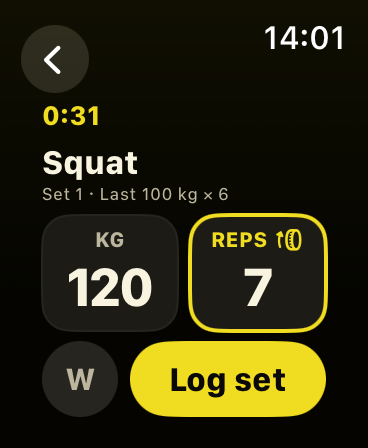
- Weight x reps for barbell, dumbbell and machine work.
- Bodyweight reps, with an optional added weight.
- Timed sets, with distance for cardio.
- A warm-up toggle, so warm-up sets stay out of your volume and your PRs.
Your last session's numbers show for each set, so most sets are a quick nudge and a tap.
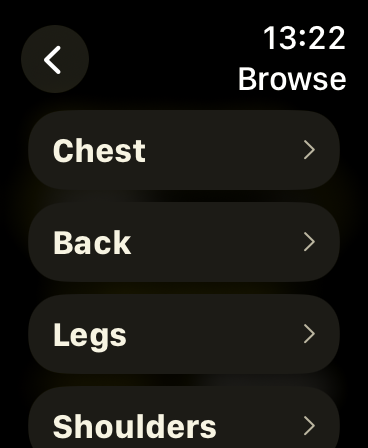
To add an exercise, search for it (by dictation or Scribble), browse by muscle group, or pick from your recent exercises. If the name looks like one you already have, the watch asks "Did you mean...?" before creating a duplicate. You can swap an exercise mid-workout.
Rest, PRs and finishing
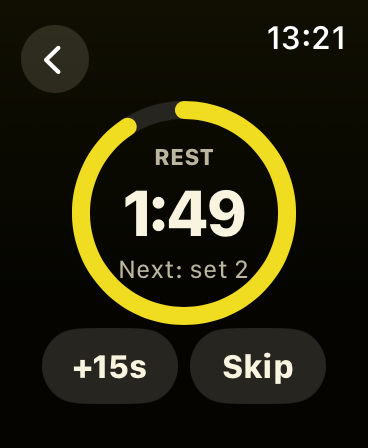
The rest timer starts itself when you log a set.
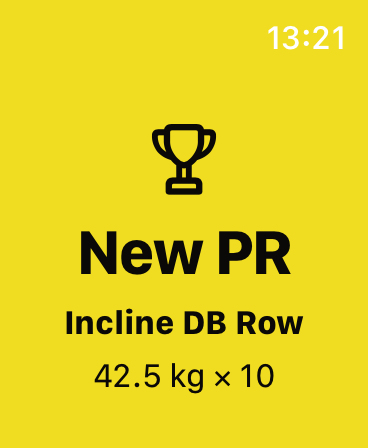
When you beat a best, the watch shows a New PR moment.
When you finish, you get a summary of the session.
The workout runs as an Apple Health Strength Training workout, so you get heart rate, active calories and Activity ring credit.
Fixing mistakes
After you log a set you have 5 seconds to Undo it.
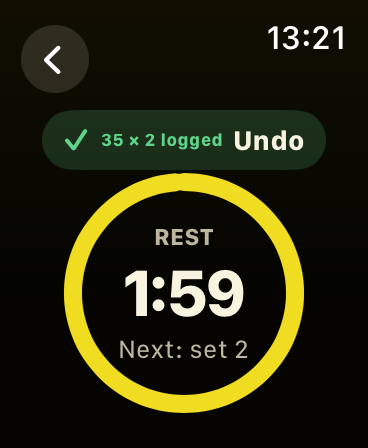
Later, tap any logged set to edit or delete it.
If your iPhone is out of range
If your iPhone drops out of range mid-workout, the watch keeps logging. Every set is delivered to your iPhone when it is back in range, so nothing is lost.
Watch-face complication
Add the Setkord complication to your watch face for a one-tap way into the app. It comes in a round size and a rectangular size. Most of the time it shows your week streak, or "Start a streak" if you have none yet. While you rest between sets, it shows the rest countdown. The rectangular size also shows the exercise name and which set is next.
What the watch app does not do yet
- Log a workout with your iPhone left at home. Your iPhone needs to be with you, or at least return to range, to deliver the sets.
- Supersets.
- RPE or notes on a set.
- Building or editing routines. Do that on your iPhone or at setkord.com.